

WHBMP - Web Hosting Business Management Platform
Web Hosting & Business Management Platform
Version 2.48.0
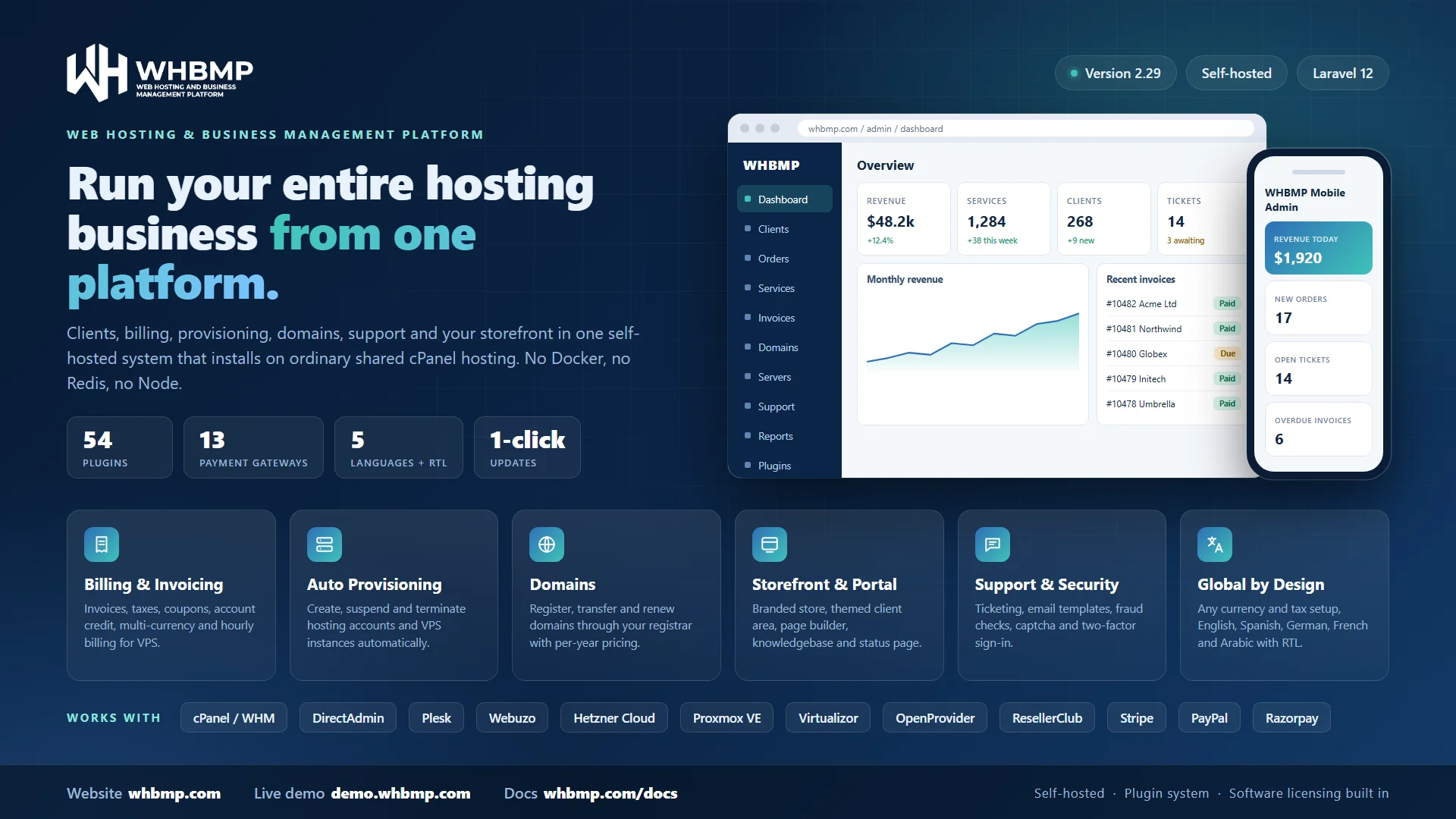
WHBMP (Web Hosting & Business Management Platform) is a complete hosting business platform that you install on your own hosting account. It handles everything between a visitor choosing a plan and a customer paying their renewal: the storefront, orders, invoices, provisioning, domains, support, email and reporting. You keep your customers, your data and your brand.
It is built for ordinary shared cPanel hosting. There is no Docker, Redis or Node on the server and no VPS to manage. Upload the files, run the web installer, add one cron line and you are running.
What you get
Sell hosting and services
- Storefront and checkout: product groups, two order page styles, a cart, one-page checkout, a currency switcher and domain search.
- Products and pricing: several billing cycles, prices in several currencies, configurable options, stock limits, upgrades and downgrades with proration, and a free domain with a plan.
- Promotion codes and credit: coupons, client credit balances, automatic credit use on invoices and an affiliate programme.
- Websites: a drag-and-drop website builder with 68 sections across 20 templates, and a CMS for announcements and a knowledgebase.
Bill with confidence
- Invoices, proforma invoices, transactions, payments and refunds, with PDF invoices.
- Multi-level tax rules that match by country and state, and several currencies.
- Automatic reminders, late fees, suspension and termination of overdue services, all on your own schedule.
- Manual payments are built in, and payment gateways plug in as modules.
Provision automatically
- Hosting panels: cPanel/WHM, DirectAdmin, Plesk and Webuzo create, suspend and terminate accounts when an order is paid or an invoice goes overdue.
- VPS and dedicated servers: modules for Hetzner Cloud, Proxmox VE and Virtualizor, with reboot, start, stop, reinstall and console from the service page.
- Domains: register, transfer and renew through ResellerClub and OpenProvider. Edit DNS records and nameservers, and manage the transfer lock and contacts.
Look after your clients
- A full client area: services, domains, invoices, tickets, contacts, team members and account settings. Pick the Classic or Sidebar theme and your own accent colour.
- Support desk with departments, threaded tickets, attachments, canned replies, an auto-responder and a feedback request.
- 53 branded, responsive email templates you can edit, preview and reset, plus full mail and activity logs.
- Client groups, bulk actions, "log in as client" and two-factor sign-in.
Run the business
- A dashboard you arrange yourself: daily revenue against yesterday, work waiting for you, charts and panels.
- Staff accounts with roles and detailed permissions, and a mobile API with push notifications for the WHBMP staff app.
- Bulk invoice export as PDF, expense tracking (with the Expenses plugin) and a to-do list.
- Moving from WHMCS? The migration plugin imports your clients, products, services and invoices.
54 plugins and growing
Everything optional is a plugin, so you add only what you use. Plugins install and update in one click from the Plugins page.
| Type | Examples |
|---|---|
| Payment gateways | Stripe, PayPal, Razorpay, Adyen, Mollie, Square, Braintree, PayStack and more |
| Hosting panels | cPanel/WHM, DirectAdmin, Plesk, Webuzo, Namecrane Mail |
| VPS and dedicated | Hetzner Cloud, Proxmox VE, Virtualizor |
| Domain registrars | ResellerClub, OpenProvider |
| Notifications | Slack, Discord, Web Push, Twilio, Vonage, MSG91 and Meta WhatsApp |
| Security and fraud | Google 2FA, reCAPTCHA, hCaptcha, Turnstile, IPQualityScore, MaxMind, IP Unblock |
| AI | Anthropic and OpenAI providers |
| Business tools | Expenses, Website Builder, CMS, Status Page, Footer Builder, Bulk Price Update, Product Downloads, Google Tag Manager |
| Sell software | Sell License, Sell WP License and License Reseller, so you can sell licensed software of your own |
| Backups and migration | S3 Backup (any S3-compatible storage, such as Cloudflare R2) and WHMCS Migration |
See every plugin, with its own page and changelog, under Addons on this page.
Built to keep your data safe
- One-click updates: WHBMP checks a signed checksum, backs up the database and files, puts the site in maintenance mode, migrates and rolls back by itself if anything fails. Large databases are handled by streaming the backup.
- File Storage: keep ticket attachments, email template attachments, product downloads and receipts in a folder outside the application, a different place for each kind, and move them with a progress report. Nothing is deleted automatically.
- Automatic off-site backups: the S3 Backup plugin sends database dumps and your uploaded files to S3-compatible storage, encrypted if you wish.
- System Health: one page that checks PHP, folders, cron, the license and storage, and says what to fix.
- Audit trail: activity, mail, provisioning and payment gateway logs, with credentials removed.
- Secrets are stored encrypted. Staff and clients sign in with separate accounts, with optional two-factor authentication.
Requirements
- PHP 8.2 or newer (8.3 and 8.4 are fine) and MySQL or MariaDB
- Shared cPanel hosting is enough. One cron job runs the scheduler every 5 minutes.
- A WHBMP license. Free and paid plugins are installed from this store with your license.
Try it first
Look around the full admin and client area on the live demo at demo.whbmp.com. It is filled with two years of sample clients, services, invoices and tickets and resets every hour. Then choose a plan on the Pricing tab. Follow the Changelog tab to see every release.
Bulk Price Update
WHBMP
Update the price of many services, domains, or configurable options at once, including the recurring amount already-active clients...
Client IP Unblock
WHBMP
Lets a client remove their own IP from CSF, Imunify360, or cPHulk's block list on their active service's server, without opening a...
Cloudflare Turnstile
WHBMP
Cloudflare's free, largely invisible bot-protection widget.
CMS
WHBMP
A real content management system — categories, tags, SEO fields, and a full classic (TinyMCE) editor, publishing at real URLs like...
Discord Staff Alerts
WHBMP
Post real staff alerts to a Discord channel via a Webhook — new orders and urgent tickets.
Finance & Expenses
WHBMP
Your business money in one place: expenses by category, recurring bills, vendors with their tax and commission, and the fees payme...
Footer Builder
WHBMP
Build rich, multi-column footers with logo, address, social links, and custom link columns: one for signed-in clients and one for...
Google Tag Manager & Ads
WHBMP
Inject a real Google Tag Manager container and Google Ads conversion tracking across the storefront and client portal, plus a real...
Hetzner Cloud
WHBMP
Sells real Hetzner Cloud VPS instances, provisioned live through Hetzner's own API.
Namecrane Mail
WHBMP
Sell Namecrane CraneMail hosted email as a server type: add a Namecrane Mail server with your reseller API key, then pick it on an...
Page Builder
WHBMP
A drag-and-drop page builder for the storefront — a library of hosting-specific sections and a live editor. Pages you publish are...
Projects
WHBMP
Simple project management for your clients: tasks with assignees and due dates, a group message thread, time tracking you can invo...
Proxmox VE
WHBMP
Provisions real LXC containers on a self-hosted Proxmox VE node.
S3 Backup
WHBMP
Automatic offsite backups to any S3-compatible storage (Backblaze B2, Wasabi, Cloudflare R2, DigitalOcean Spaces, MinIO, Amazon S3...
Sell License
License keys for the software you sell.
Issue and manage real license keys for software you sell — locked to a domain and IP, with a real public verification API the lice...
Virtualizor
WHBMP
Provisions real VPS instances (KVM/OpenVZ/Xen/LXC) through a Virtualizor master server.
Webuzo
WHBMP
Default API port 2005. Covers both shared and reseller Webuzo servers, same as cPanel/WHM does for both.
WhatsApp & SMS Quick Share
WHBMP
Share any invoice with a client over their own WhatsApp or SMS — click to open on this device, or scan a QR code to send from your...
Adyen
WHBMP
Europe/global enterprise payment processing.
Alipay
WHBMP
China payment processing.
Anthropic (Claude)
WHBMP
Real calls to the Anthropic Messages API — Claude models.
Authorize.Net
WHBMP
One of the oldest US payment gateways.
Braintree
WHBMP
Global payment processing, owned by PayPal.
cPanel/WHM
WHBMP
Default API port 2087.
DirectAdmin
WHBMP
Default API port 2222.
Document Designer
WHBMP
Choose how your invoice, quote and statement PDFs and your system emails look: style presets, colours, fonts, logo, header and foo...
Flutterwave
WHBMP
Pan-African payment processing.
Google Authenticator 2FA
WHBMP
Let clients and staff secure their account with a real TOTP code from Google Authenticator, Authy, or any standard authenticator a...
Google reCAPTCHA
WHBMP
Google's widely used v2/v3 bot-protection widget.
hCaptcha
WHBMP
A privacy-focused bot-protection widget, a drop-in reCAPTCHA alternative.
IPQualityScore
WHBMP
Real-time IP fraud/risk scoring — proxy, VPN, and abuse detection.
MaxMind minFraud
WHBMP
Order-level fraud risk scoring from MaxMind's minFraud service.
Mercado Pago
WHBMP
Latin America payment processing.
Meta WhatsApp Notifications
WHBMP
Send real WhatsApp utility messages to clients by calling Meta's WhatsApp Cloud API directly — order created, invoice paid, invoic...
Migration from WHMCS
WHBMP
Import real clients, services, domains, invoices, transactions, and products from a WHMCS database dump — restored into a temporar...
Mollie
WHBMP
Netherlands-based, popular across Europe.
MSG91 SMS Notifications
WHBMP
Send real SMS alerts to clients via MSG91 — order created, invoice paid, invoice reminders, new tickets, and more, using your own...
MSG91 WhatsApp Notifications
WHBMP
Send real WhatsApp utility messages to clients via MSG91 — order created, invoice paid, invoice reminders, and more, using your ow...
OpenAI (GPT)
WHBMP
Real calls to the OpenAI Chat Completions API — GPT models.
OpenProvider
WHBMP
Domain registration via the OpenProvider REST API.
Password Vault
WHBMP
A private place in the client area where clients keep named passwords (Server01 = a password) and fill them into support tickets,...
PayPal
WHBMP
Global payment processing.
Paystack
WHBMP
Africa: Nigeria, Ghana, South Africa, Kenya.
PayU
WHBMP
Latin America, India, Central/Eastern Europe.
Plesk
WHBMP
Default API port 8443.
Product Downloads
WHBMP
Lets a client download files (installers, manuals, licensed software) attached to a product, unlocked once their service on that p...
Public Status Page
WHBMP
A real public status page at /status — component statuses and incident updates, no login required.
Razorpay
WHBMP
India payment processing.
ResellerClub
WHBMP
Domain registration via the ResellerClub (OrderBox) reseller API.
Slack Staff Alerts
WHBMP
Post real staff alerts to a Slack channel via an Incoming Webhook — new orders and urgent tickets.
Square
WHBMP
US/Canada/UK/Australia/Japan payment processing.
Stripe
WHBMP
Global payment processing.
Twilio SMS Notifications
WHBMP
Send real SMS alerts to clients via Twilio — order created, invoice paid, invoice reminders, new tickets, and more.
Twilio WhatsApp Notifications
WHBMP
Send real WhatsApp utility messages to clients via Twilio — order created, invoice paid, invoice reminders, and more, using your o...
Vonage SMS Notifications
WHBMP
Send real SMS alerts to clients via Vonage — order created, invoice paid, invoice reminders, new tickets, and more.
Web Push Notifications
WHBMP
Real browser push notifications for staff — new orders and urgent tickets, no app or extra channel needed.
WHBMP License Reseller
WHBMP
Sell WHBMP licenses to your customers from your storefront, issued automatically through your reseller account.
No addons match your search.
Version 2.48.0 · Nov 1, 2026
New Features
- Public links: every invoice and quote has a private link that opens with no login, for WhatsApp, SMS or email. On an invoice the client reads it and pays with any payment method you have turned on. On a quote the client chooses a package, then accepts or declines; accepting makes the invoice and opens its payment page.
- Public links: the link stops working by itself. An invoice link closes when the invoice is paid, cancelled or refunded; a quote link closes when the quote is accepted, declined or expired. The address then shows a short "no longer available" page.
- Admin panel: Copy Pay Link on an invoice and Copy Public Link on a quote.
- Admin App: quotes. List and filter them, open one, create a quote for a client, change its status (including On Hold), email it as a PDF and share its link.
- Admin App: Share payment link on an invoice opens WhatsApp with a ready message and the link, addressed to the client.
Improvements
- Quotes: Email as PDF is the same in the admin panel and the Admin App.
Version 2.47.0 · Oct 31, 2026
New Features
- Invoice lines: a configurable option with a price is its own line under its product, and a discount is its own line under the product it reduces. An option that costs nothing, such as "None", stays in the product's description. Invoices made before this keep their lines.
- Quotes: a new On Hold status, set from the quote's Status list. A client cannot accept or decline a quote that is on hold.
- Quotes: a package choices box in the quote editor. Name a group, add packages one by one or add a product as a package; prices come from the product and stay editable.
- Document Designer (plugin): style presets, colours, fonts, logo, header and footer, a layout for the invoice lines, a status watermark (PAID, UNPAID and so on) and an optional signature for invoices and quotes, plus four looks for the system emails.
Improvements
- PDFs: amounts show the currency's symbol (₹, $ and so on) instead of its code. A currency without a symbol keeps its code.
- PDFs: header text prints at the very top of each page and footer text at the very bottom.
- Emails: a plugin can change the look of every system email: style, accent and page colours, font, button shape and logo.
Bug Fixes
- PDFs: the line breaks of quote text, quote notes, invoice notes and the Pay To text are kept.
- Quotes: printing a quote keeps the colour of the table headings.
Notes
- Document Designer needs this version. Without the plugin everything looks as before, apart from the currency symbols and the line breaks.
Version 2.46.0 · Oct 31, 2026
New Features
- Termination Email: each product can choose the email that is sent when an overdue service is terminated automatically. "None" sends nothing.
- Upgrade/Downgrade Email: each product can choose the email that is sent when a service moves to it from another product. A new built-in "Service Plan Changed" email is ready to pick.
Improvements
- Product emails: the Welcome Email list on a product now shows only service emails, the built-in ones and any you made in the Service Email group, instead of every template.
- Service emails: plugins can add their own merge fields to service emails, such as a license key.
Notes
- Termination Email: products you already have keep sending the "Service Terminated" email when a service is terminated automatically. Change or clear it on the product's Details tab.
- Sell WP License: it is now part of Sell License (1.5.0 or newer) and is no longer a separate plugin.
- Beta channel: the store can hold beta versions. Customers are never offered a beta.
Version 2.45.2 · Oct 26, 2026
Bug Fixes
- Minimized admin menu: a long dropdown, such as Plugins, now stays on the screen: it moves up to fit and scrolls when it is taller than the window.
Version 2.45.1 · Oct 26, 2026
Bug Fixes
- Minimized admin menu: the dropdown that opens beside the slim menu no longer hides behind cards on the dashboard and other pages.
Version 2.45.0 · Oct 26, 2026
New Features
- Minimize the admin menu: a Minimize menu button at the bottom of the admin side menu shrinks it to a slim icon rail, giving the page more room. Hover or tap an icon to see its name, and a group such as Clients opens its pages in a dropdown next to the rail. The choice is remembered in your browser, and the phone menu is unchanged.
Notes
- New text: Minimize menu and Expand menu are translated into Spanish, German, French and Arabic.
Version 2.44.0 · Oct 26, 2026
New Features
- Client area address: the client area no longer has to live at
/client. In Settings > General Settings > Other, Client Area Address takes any word (such asapporaccount), and the sign-in page, dashboard and every plugin page of the client area move with it. - Old links keep working: every
/client/...address leads to the same page at the new address, so emails already sent, bookmarks and links on your own pages still work. Site Menu items saved with a full address are updated for you. - From the server:
CLIENT_PATHin the.envfile sets it too (and locks the box), asADMIN_PATHdoes for the admin area.
Notes
- Reserved words: the address cannot be one the site already uses (
cart,admin, a CMS category, a Page Builder page and so on). CMS 1.3.2 also stops a new category from taking it.
Version 2.43.0 · Oct 26, 2026
New Features
- Second top menu: every item in Settings > Site Menu is in the Main menu or the Second menu. The second menu is a row under the main one on the public website and in the client area (a group in the sidebar theme), and both menus are in the phone menu.
- Built-in links are menu items: Plans & Pricing, Domains, Announcements, Knowledgebase, Software, Status and Cart can be renamed, reordered, moved, put in a dropdown or removed. Their addresses stay fixed and each shows only while its page exists.
- Stay at the top: a switch for each menu keeps it visible while the page scrolls, on laptops and larger screens only.
- Before login and After login: one clear choice replaces Show on and Visible to. Before login is for everyone, in both places; After login is for signed-in clients, in the customer portal. A tick-box hides an item from signed-in clients (Login, Register). Existing items keep working as they were.
- Page not found keeps the menus: inside the admin area the 404 page has the side menu, in the client area it has the top menu, and on the public website it has the header and footer. With Page Builder 1.3.0 you can design the public 404 page.
Notes
- New text: the new screens are in English; Spanish, German, French and Arabic follow.
Version 2.42.1 · Oct 26, 2026
Improvements
- Knowledgebase look: the stylesheet has the navy and teal of the WHBMP logo for the Knowledgebase banner (CMS plugin 1.3.1), and the search box there is white with an icon and a Search button.
Version 2.42.0 · Oct 26, 2026
New Features
- Page Builder, CMS Articles: the Page Builder (1.2.0) has two new sections that list the latest published articles of the CMS categories you tick, as cards or as headings only, in 1, 2, 3 or 4 columns, with or without image, excerpt, category name and date. The editor gained a dropdown and a category checklist for them.
Version 2.41.0 · Oct 26, 2026
New Features
- Client Signup: switch on Client Signup in General Settings > Security > Login and visitors can open an account at
/client/registerwithout placing an order first. The form is the same as checkout's: account type, name, email, password, phone with country code, billing address and your Additional Information fields. A Sign up link appears on the client sign-in page and in the storefront header. It is off until you switch it on, and checkout still creates accounts either way. - Starts on the visitor's country: the form begins on the visitor's own country (the same lookup that picks the first currency), and on their state when Cloudflare's visitor location headers are on. They can change both.
- Same protections as checkout: the password strength rule, the CAPTCHA for client sign-in, email verification when it is on, and the affiliate referral link all work on the new page.
Version 2.40.0 · Oct 26, 2026
New Features
- Drafts saved as you type: an invoice or a quote you start creating is saved automatically as a draft every few seconds once it has a client and a line, so nothing is lost if you leave the page. A note beside the buttons shows when it was last saved. Pressing Create finishes that same draft instead of making a second one.
- Only staff see a draft: a client cannot see a draft invoice or a draft quote anywhere: not in their lists, on the dashboard, in a statement or by opening its address. A draft sends no email, is not counted in reports or overdue lists, and the *Invoice Created* webhook fires only when it is issued.
- Issue or delete a draft: a draft invoice shows Draft #123 instead of a number. Open it and press Issue Invoice to give it its number and make it unpaid, or Delete Draft to throw it away. Find drafts with the Draft filter on the Invoices and Quotes lists.
Improvements
- Languages and help: the new texts are translated into Spanish, German, French and Arabic, and the manual has a new page, Draft invoices and quotes.
Version 2.39.1 · Oct 26, 2026
Improvements
- Service period starts when the service starts: the first invoice of an order no longer names a period when it is made. The period starts the day the service is set up, or the domain is registered, and the invoice line gets its dates at that moment. A service ordered on 1/1/2026 and paid and activated on 7/1/2026 shows
(07/01/2026 - 06/02/2026), and its next invoice is due on 07/02/2026. Setup fees, discounts and add-ons carry no period. - Renewal lines: the first and last day of a renewal line are now also saved with it, not only written in its text.
Version 2.39.0 · Oct 26, 2026
New Features
- Service period on invoices: invoice lines now say which period they bill, with the first and the last day, for example
Domain Renewal - example.com - 1 Year/s (17/10/2026 - 16/10/2027)orHosting Plan - example.com - Monthly (01/11/2026 - 30/11/2026). The end is the last day covered, one day before the next period starts, and the dates follow the date format in General Settings. It applies to the renewal invoices of services and domains (automatic, on demand and bulk) and to the first invoice of new orders (storefront checkout, admin orders and the mobile app). One-time and hourly lines have no period. Invoices made before this update keep their old text.
Version 2.38.2 · Oct 26, 2026
Improvements
- Services and domains: a service or a domain is now managed in one place, its tab on the client's profile. The lists, the profile tables, the Module Queue, server accounts, the logs and the reports open it there directly, and the old standalone service and domain pages are gone (their addresses still lead to the profile). The standalone domain page's buttons did nothing; the real actions were always on the profile.
- Invoice emails: the Send Email box on an invoice now lists only the Invoice emails, and refuses any other email.
Bug Fixes
- Refunds: the message after a refund showed a dollar sign on every invoice; it now shows the invoice's own currency code.
Version 2.38.1 · Oct 25, 2026
Improvements
- Currency Settings: the Currency by country settings are now in their own tab, next to Currencies, so the main page shows only your currencies, rates and the Add Currency form. Saving the country settings brings you back to that tab.
Version 2.38.0 · Oct 25, 2026
New Features
- Currency by country: under Settings > Currency Settings a new Currency by country card lets you choose which countries see which currency, for example INR for India, GBP for the United Kingdom, EUR for the EU countries (with an Add all EU countries shortcut) and USD for everyone else. A visitor starts in the currency of their country, can still change it with the storefront switcher, and a signed-in client keeps the currency on their account. Search engines always get the "everyone else" currency. The country comes from Cloudflare's country header, so switch on IP Geolocation in Cloudflare's Network settings. Plugins can add another way to find the country.
Improvements
- Currencies shown by code: a currency is now shown by its code only (USD, not "US Dollar") everywhere: the Currency Settings page no longer has a Name field, the dashboard currency picker, the Exchange Rates card in the Automation Report and the currency tabs on a product's pricing page show just the code, and the base currency's tab reads "INR (base)". Existing currency names were changed to their codes.
- Languages and help: the new texts are translated into Spanish, German, French and Arabic, and the manual has a new page, Currency by country.
- For developers:
Extensions::countrySource()lets a plugin supply a visitor's country from their IP address.
Version 2.37.0 · Oct 25, 2026
New Features
- Tickets without an account: a support department can now take tickets from visitors with no login: tick Allow submitting without login on the department (Support > Departments). The visitor opens
/open-ticket(add it to the Site Menu), gives a name and an email, and no account is made. Replies are emailed to them, and a private link in each email opens the conversation so they can answer. Staff see the ticket marked Guest. The mobile app lists these tickets with the guest's name. - Extra details on a ticket: the Client Custom Fields page has a new Used on choice: the client profile and order form (as before), support tickets only, or both. A field used on tickets can be limited to some departments (none ticked means all), so a "License Support" department can ask for a server hostname, a root username and a root password while "Sales" asks for nothing extra. The fields appear on the ticket form after the message, and only the ones for the chosen department are shown and sent. The answers show in a Details provided card on the ticket.
- Passwords are kept safe: a Password Field answer is stored encrypted, hidden on the ticket, and shown only when a staff member holding the new Reveal passwords permission clicks Reveal. Every reveal is written to the activity log. Assign the permission under Settings > Security & Roles. The passwords typed into a ticket opened without an account are erased when the ticket is closed.
- Password Vault (new plugin): install it from Plugins > Add New. Signed-in clients get a Password Vault page in the client area where they keep a name and a password for each server (for example
Server01), encrypted and shown only when they click Reveal. On the ticket form, a Password Field offers Choose from my vault and Save this password to my vault as…. Entries stay until the client or staff remove them. Staff see a client's vault names on a Password Vault tab of the client profile, and reveal one only with the Reveal passwords permission.
Improvements
- Client custom fields: a field that is used on tickets only never appears on the client profile, the order form or invoices.
- Languages and help: the new texts are translated into Spanish, German, French and Arabic, and the manual has new pages: Tickets without an account, Extra details on tickets and Password Vault.
- For developers: the
ClientTicketOpenedevent fires when a signed-in client opens a ticket, and theclient.tickets.secret-fieldslot sits under each Password Field on that form.
Version 2.36.0 · Oct 25, 2026
New Features
- Sell your own software and WordPress plugin licenses: Sell License and Sell WP License can now be installed from Plugins > Add New to sell licenses for your own software and WordPress plugins. Keys start with a prefix you choose (
LICby default). See Licensing and downloads in the documentation.
Version 2.35.0 · Oct 25, 2026
New Features
- Automatic payments: A client can save a payment method under Payment Methods in their account (a link on Account Settings and in the account menu) and switch Pay my invoices automatically on. They tick a box to agree first, and nothing is charged when the method is saved. With Settings > Automation > Charge Saved Payment Methods Automatically on, the daily run (at the Time of Day set on the same page) charges each invoice to the client's default method on and after its due date, books the payment once, and records every try under System Logs > Payment Gateway Logs. A failed charge is tried again the next day, up to Charge Attempts Per Invoice times (3 by default), and the client gets a new Automatic Payment Failed email each time.
- Which gateways: Stripe (cards), PayPal (the client's PayPal account) and Braintree (cards, saved on a card form on your own site). The other gateways cannot save a method without charging the client or running a card form of their own, so they pay invoices one at a time as before.
Improvements
- Gateway cards: Mollie, Alipay, PayU and Braintree no longer show a webhook address to copy, because they are told it with every payment or need none. Mercado Pago explains that its address is optional.
- Failed or cancelled payments: a client who comes back from a gateway's page after a failed or cancelled payment now hears that nothing was charged and can try again, instead of "could not be matched".
- Documentation: the Payment gateways article lists all 13 gateways with what to enter for each, and there is a new Automatic payments article. Articles that said the gateways do not charge yet were corrected.
- For developers: A gateway plugin that implements
SavesPaymentMethodsInterface(startSetup, completeSetup, chargeSaved, forgetMethod) gets the client page and the daily charge run for free.
Bug Fixes
- Admin client and service pages: the client profile and the service page showed an error ("Class AppSupportBillingCycles not found") whenever the Manage panel was shown. Fixed.
- Mobile app receipts: the receipt link of the Expenses plugin now also checks the installation's licence, like every other mobile page.
- Monthly statement email: its placeholders (statement month, balance, unpaid invoices) are now declared, so they show in the template editor and in previews.
- Languages: the gateway, automatic payment and demo screens and messages are translated into Spanish, German, French and Arabic, and the Projects plugin's texts are part of the language packs.
- ---
Also in this release: 2.34.0
New Features
- Twelve more payment gateways take live payments: PayPal, Razorpay, Mollie, Paystack, Flutterwave, Square, Adyen, Braintree, Authorize.net, Alipay, PayU and Mercado Pago. Each sends the client to the gateway's payment page (Braintree: a card form on your own site), marks the invoice paid only when the gateway confirms it, once, for the amount owed, records payments, refunds and disputes from the gateway's webhook where it has one, and refunds through the gateway when you choose Original gateway. Test Connection checks the saved credentials with the gateway.
- Test mode box: the sandbox/test tick box on a gateway card now appears for every gateway that has a test mode, not only PayPal.
Improvements
- For developers: gateway plugins can answer a payment with a form to post to the gateway (
redirect_post), a webhook with its own reply word or a redirect, and use the newGatewayReferencehelper to carry the invoice, client and amount through a payment. - Gateway settings: credentials can be up to 5000 characters (Alipay's private key is longer than 1000).
Version 2.33.0 · Oct 25, 2026
New Features
- Stripe card payments: With Stripe set up under Settings > Payment Gateways, the Pay button on an invoice sends the client to Stripe's payment page. The invoice is marked paid only when Stripe confirms the payment, once, for the amount the invoice owed. Test Connection now checks the secret key with Stripe and shows the account name and whether it is test or live mode, or Stripe's own error. See the new Stripe article in the documentation for the keys, the webhook address and the test cards.
- Stripe webhook: A signed webhook at /webhooks/payments/stripe records payments, delayed payment failures, refunds made in the Stripe dashboard and disputes. The address is shown on the Stripe settings card with a Copy button.
- Stripe refunds: Choosing Original gateway on a Stripe payment refunds the card through Stripe, in full or in part.
- Projects (plugin): Simple project management for clients: tasks, a group message thread, time tracking that can be invoiced, linked tickets and invoices, files and a log.
Improvements
- Gateway settings: Fields can be optional and carry help text, and a publishable key typed into the secret key box is refused when saving.
- For developers: New AbstractCheckoutGateway, GatewayPayments and MinorUnits helpers let a payment gateway plugin with a hosted payment page contain only the gateway's own calls. See the new "Building a payment gateway plugin" article.
- Languages: Spanish, German, French and Arabic text for the Stripe screens and messages.
Version 2.32.0 · Oct 24, 2026
New Features
- Quotes: Create a priced proposal under Billings > Quotes (also a Quotes tab on each client's profile) and send it to the client. Each quote has a subject, a created and a valid-until date, line items (quantity, description, unit price, discount % and taxed), a Proposal Text at the top, Customer Notes at the bottom and private Admin Only Notes. A predefined product can be added at its real price for a billing cycle. Sub Total, tax and Total Due update as you type, using the tax that applies to the client.
- Live options: Tick Live options and the client can change the quote on its page while the total updates: each line is a fixed line, a package choice (one of several packages in a group, for example Hosting plan) or an optional add-on the client switches on or off. You decide which packages are offered and which is selected first. Leave it off and the client sees the quote exactly as you built it.
- Accept and decline: Clients find their quotes under Billing > My Quotes and accept or decline them (with an optional reason). Accepting creates an unpaid invoice from the lines they chose, and for product lines an order with a pending service linked to the invoice, so paying sets the service up like any order. A quote past its valid-until date cannot be accepted. You are emailed when a quote is accepted or declined.
- Quote for a new client: Quote someone who has no account yet. The quote goes to them as a PDF, and the client account is created when you convert the quote to an invoice.
- Buttons: Save Changes, Duplicate, Printable Version, View PDF, Download PDF, Email as PDF, Convert to Invoice and Delete, above and below the quote.
- Emails: New Quote Sent, Quote Sent (new client), Quote Accepted (to admin) and Quote Declined (to admin) templates (Email > Templates, with the Invoice emails). The admin emails go to the Admin Email in General Settings.
Languages
- Languages: Spanish, German, French and Arabic text for quotes, the quote PDF and the emails.
Version 2.31.4 · Oct 24, 2026
Fixes
- Mobile app: wrong Earnings figure. The Earnings this month card of the Admin App added up the payments of every currency into one number, so a site that takes payments in more than one currency (for instance rupees and dollars) saw a total that meant nothing. It now shows the default currency only, written the way the web dashboard writes it, with the other currencies that took payments listed under it, and the payments list it opens can be limited to one currency so that it adds up to the card. Needs Admin App 1.15.1 for the new layout; older app versions keep working and show the default currency's number.
Version 2.31.3 · Oct 24, 2026
Improvements
- Public demo: The demo (demo.whbmp.com) now has the CMS, the Page Builder and the Footer Builder switched on after every hourly reset, with a knowledgebase of ten articles, four announcements and a footer, so visitors can read them and try the three builders and the Site Menu. Publishing a page as a file and downloading a premade page stay off in the demo.
- Fixes: Minor bug fixes and wording improvements.
Version 2.31.2 · Oct 24, 2026
Fixes
- Don't sell domains did not hide everything from every admin. With the switch on, the Domains and Registrars menus, Domain Pricing and the domain pages stayed open for any staff member whose role holds the domain permissions, which includes the Super Admin role on a live site. They are now hidden and answer "forbidden" for every admin whatever their role grants, and the Admin App no longer receives those permissions either.
Version 2.31.1 · Oct 24, 2026
Fixes
- Titles showed codes instead of characters. A card or page title that contains an ampersand or an apostrophe, such as "Grace & Redemption", "Activity & Logging" or "Don't Sell Domains", was shown as
Grace & RedemptionorDon't Sell Domains. It affected about 25 titles in the admin portal and any name passed the same way. Card titles and subtitles, page headers, table headings, empty-state and alert messages, stat cards and the browser tab titles now show the real characters.
Version 2.31.0 · Oct 24, 2026
New Features
- Don't sell domains: If you sell software or hosting and no domains, General Settings > Domains now has a Don't sell domains switch that hides domains everywhere: the Domains and Registrars menus, Domain Pricing, the Domains tab on a client, the domain parts of Create Order and the product form, the Domains Export report and the dashboard tile, the domains section of the client area (menu, dashboard card and pages), the domains of the REST API and the domain screens of the Admin App. A hidden page gives "not found", and nobody holds the domain permissions while it is on, not even a Super Admin. Untick it and everything is back. It cannot be ticked while a domain is still alive, so nobody loses a domain they have: the box stays locked, with a note saying how many, while there is a domain that is Active (this includes one just past its expiry), Suspended, a transfer in progress, or Expired but still inside its grace period. Pending registrations, domains Expired past grace, Cancelled and Transferred Away do not count.
- Stop selling domains: Untick both Allow clients to register domains with you and Allow clients to transfer a domain to you and the site stops selling domains: the domain search page, the Domains link of the storefront menu, the homepage domain search box and the register and transfer choices go. Domains clients already have stay, in the client area and in the admin. Allow clients to use a domain they already own keeps working on hosting orders.
Improvements
- Mobile app: The mobile API stops sending the domain permissions and the domains of a client while domains are hidden, so Admin App 1.15.0 hides the Domains tab and Add Domain Order.
- Languages: Spanish, German, French and Arabic text for the new switch and its messages.
- Documentation: The managing domains article has a "Selling no domains" section.
- Fixes: Minor bug fixes and wording improvements.
Version 2.30.0 · Oct 24, 2026
New Features
- Monthly statements: Switch on Monthly Statements in General Settings > Other and, on the first day of each month, every active client who had an invoice or a payment last month, or who still owes money, gets an email with a PDF statement of that month. The statement lists the balance brought forward, each invoice and payment with a running balance, the balance due at the end of the month and the invoices that are still unpaid, in the client's own language and in the invoice look (paper size, font and logo). A client with more than one currency gets one block per currency. The email is the new Monthly Statement template (Email > Templates) and follows the client's Invoice emails choice. Switching it on part-way through a month sends last month's statements at the next daily run.
- Statement download: Clients can download the statement of any of the last 12 months from their Invoices page.
- Language on Account Settings: When more than one language is switched on, clients choose their language on Account Settings. It is also the language of their emails and invoices, the same as the switcher in the menu.
Improvements
- Store: The software and addon tables get a column for the changelog category of Sell License 1.3.0 (the Changelog tab can show the posts of a CMS category). Only the license store uses it.
Languages
- Languages: Spanish, German, French and Arabic text for the statement, its email, the language field and the changelog category.
Version 2.29.0 · Oct 22, 2026
Fixes
- Billing > Credits > Add Credit did nothing. The button now opens a form: pick the client, choose Add credit or Deduct credit, enter the amount and the reason. It is an adjustment of the account credit (goodwill, a correction, a refund to credit), not a payment, so it needs a reason instead of a transaction ID; for money that has really arrived use Add Funds on the client's page. The reason and the staff member who made the adjustment are kept in the credit history, a deduction cannot take the balance below zero, the Maximum Balance of General Settings > Credit still applies to an addition, and added credit can pay a shortfall and switch powered-off hourly servers back on.
Improvements
- Languages: Spanish, German, French and Arabic text for the new form.
- Documentation: The credit article describes Add Credit.
- Fixes: Minor bug fixes and wording improvements.
Version 2.28.0 · Oct 22, 2026
Changes
- Add Funds needs the payment details. Credit is no longer added without a payment to point at. A client who adds funds sees the payment instructions of the method they choose, pays, and then enters the amount, the payment method, the transaction ID or reference and the date of payment (and an optional note). The payment waits on Billing > Transactions as *Reported by the client, to be checked*, with those details filled in; staff check them, correct them if needed and press Confirm payment, and only then is the credit added.
- Staff Add Funds: Add Funds on a client's page records money that has already arrived. It needs the amount, the payment method, the transaction ID and the date of payment, and adds the credit at once. Adding to the credit balance on a manual transaction needs the payment method and the transaction ID too.
- No double credit: The same payment (method and transaction ID) cannot be recorded twice. The credit history line says how it was paid, for example *Funds added (Bank Transfer, BT-1001)*.
- Mobile API: Recording funds and confirming a reported payment take the same payment details, the credit call lists the payment methods to choose from, and a waiting deposit carries the transaction ID, date and notes the client gave. The WHBMP Admin App 1.14.0 uses them.
Improvements
- Languages: Spanish, German, French and Arabic text for the new screens.
- Documentation: The credit, invoices, clients and hourly billing articles describe the payment details.
- Fixes: Minor bug fixes and wording improvements.
Version 2.27.0 · Oct 22, 2026
New Features
- Mobile app: account credit. The mobile API now returns a client's credit (balance, the hourly servers paid from it and about how many hours it lasts, waiting deposits and the latest credit history), lets staff add funds for a client, mark a deposit received (which adds the credit) or cancel it. The WHBMP Admin App 1.13.0 shows them on the client page.
Improvements
- Documentation: The Hourly billing article lists the new mobile API calls.
- Fixes: Minor bug fixes and wording improvements.
Version 2.26.0 · Oct 22, 2026
Changes
- Add Funds no longer makes an invoice. Adding credit is not a sale, so it stays out of your invoices, invoice numbers, tax and revenue reports. A client who adds funds now creates a deposit that waits for the payment, shown on their Account Credit page with a Pay now button (and the payment instructions of the method they pick). The credit is added as soon as the payment is received, and a *Funds added* line goes into their credit history.
- Staff: a waiting deposit appears on Billing > Transactions as *Add funds*, *Waiting for the payment*. When the money arrives, press Mark received and the credit is added to the account, or Cancel to drop it. Add Funds on a client's page makes the same kind of deposit.
- Hourly servers with a minimum deposit: the deposit is no longer a line on the order invoice. A client with less credit than the minimum is taken to Add Funds with the missing amount filled in, and the server starts as soon as the credit is there.
- Earlier top-up invoices: a top-up invoice that was still unpaid becomes a waiting deposit and the invoice is cancelled. Paid top-up invoices stay as history.
Improvements
- Languages: Spanish, German, French and Arabic text for the new screens.
- Documentation: The credit, invoices, clients and hourly billing articles describe deposits.
- Fixes: Minor bug fixes and wording improvements.
Version 2.25.0 · Oct 22, 2026
New Features
- Pay hourly servers from account credit: A product sold by the hour can now take its usage from the client's account credit as the hours are metered, instead of a usage invoice at the end of the month. Turn on Pay from account credit in the product's Hourly billing card (it needs a minimum deposit above 0, so the client starts with credit). The client sees the balance go down.
- Account Credit page: Clients see their balance on the dashboard and on a new Account Credit page, with the credit history, the hourly servers paid from credit, their hourly rate and about how many hours the credit still covers. Add Funds works as before.
- Low credit warning and power off: The client gets an email once when their credit covers fewer hours than General Settings > Credit > Low Balance Warning (Hours). When the credit runs out, their hourly servers are powered off after Power Off After (Hours Without Credit); nothing is deleted. After the client adds funds, what they owe is paid first and the servers start again by themselves. A powered-off server is not charged while it is off.
- One usage invoice per month: The deductions go on one running usage invoice per client and currency, with tax, so invoice numbers, PDFs and revenue reports keep working. It is paid from the credit as it grows and is not emailed.
Improvements
- Languages: Spanish, German, French and Arabic text for the new screens and the two new emails.
- Documentation: The Hourly billing article has a section on paying from account credit.
- Fixes: Minor bug fixes and wording improvements.
Version 2.24.0 · Oct 22, 2026
New Features
- Hourly prices per currency: On a product sold by the hour, each other currency can have its own hourly rate, monthly cap, setup fee and minimum deposit (Pricing tab). A currency without them keeps following the exchange rate.
- Hourly prices per server location: A server location can have its own hourly rate and monthly cap (Locations tab). Without them the product's rate is used, plus or minus the location's percentage. The order page shows the rate of the location the customer picks.
- Plan changes on hourly services: Clients can ask for another plan that is also sold by the hour. There is no extra charge: from the moment your team changes the product on the service, the new rate and cap apply, and the hours before stay at the old rate.
- Hourly Usage report: A new report under Reports > Billing lists, for each month and currency, every service sold by the hour with its hours, amount and usage invoice, with a CSV download.
- Mobile API: Products sold by the hour show their rate, cap, setup fee and deposit in the order products list, staff can place an hourly order (
billing_cyclehourly), and a service shows its hourly rate, cap and this month's usage.
Improvements
- Languages: Spanish, German, French and Arabic text for the new screens.
- Documentation: The Hourly billing article covers prices per currency and location, plan changes, the report and the mobile API.
- Fixes: Minor bug fixes and wording improvements.
Version 2.23.0 · Oct 22, 2026
New Features
- Hourly billing: A VPS or dedicated server product can now be sold by the hour, next to its normal billing cycles. Turn it on in Settings > Products & Pricing > Pricing > Hourly billing and set the hourly rate (up to 6 decimals, for example 0.0089), a monthly cap, a setup fee, an optional minimum deposit and whether a stopped server is still billed. Customers pick Pay hourly when they order and see the rate and the cap, for example "$0.0089 / hour (up to $6.00 a month)". It is off for every product until you turn it on.
- One usage invoice a month: Every hour the hours that have started are metered for each running service, never above the monthly cap. After the month ends, one usage invoice per client lists each service ("Cloud VPS, 312 hours at $0.0089 an hour, capped at $6.00, Oct 2026"), taxed like the product, emailed like any invoice, with account credit applied. A terminated service gets its final usage invoice at once. Reminders, late fees, suspension and termination work on usage invoices as on any other.
- Minimum deposit: A product can ask for account credit before the server is created. What the client's credit does not cover goes on the order invoice as a top-up, and the server is created when it is paid. An order with nothing to pay has no invoice and the server is created at once.
- Service pages: The client sees the rate, the cap, the hours used this month and the cost so far. The admin service page has an Hourly billing card with the usage rows and a Meter now button. Create Order can add a service on hourly billing, and add-ons (configurable options) have their own hourly rate.
- Cron job: Hourly billing needs the cron job from the documentation; the hours are metered by a job that runs every hour.
Improvements
- Languages: Spanish, German, French and Arabic text for the new screens, and for the Renewal Invoices setting.
- Documentation: A new article, Hourly billing, and a how-to in the knowledgebase.
- Fixes: Minor bug fixes and wording improvements.
Version 2.22.1 · Oct 22, 2026
Improvements
- One Invoice Per Month: The switch moved to Settings > General Settings > Invoices, under Renewal Invoices, next to the other invoice options. If you had turned it on in Automation Settings, it stays on.
- Fixes: Minor bug fixes and wording improvements in the settings and the documentation.
Version 2.22.0 · Oct 22, 2026
New Features
- One invoice per month: A new switch, One Invoice Per Month (Settings > Automation Settings > Invoicing & Reminders), puts all of a client's renewals that fall due in the same month, services and domains together, on one invoice instead of one invoice for each. The client gets one email and one PDF, and paying the invoice renews every line. A client with Separate Invoices switched on (client page > Settings) keeps one invoice for each item, and items in different currencies stay on separate invoices. It is off until you turn it on, and works together with Create Renewal Invoices Automatically.
Improvements
- Renewals: A renewal that turns up later in the month, for example a new service, is added to the month's invoice while it is unpaid.
- Languages: Spanish, German, French and Arabic text for the new setting.
- Fixes: Minor bug fixes and wording improvements in renewal invoices and the documentation.
Notes
- Default: Nothing changes until you turn One Invoice Per Month on. Invoices from Renew now, order invoices and invoices you create by hand are never combined.
Version 2.21.1 · Oct 22, 2026
Bug Fixes
- Homepage: The domain search box on the homepage had no visible border or background. It now looks like the other search fields, and the homepage banner uses the same light style and colours as the rest of the storefront, including your accent colour.
- Fixes: Minor bug fixes and wording improvements in the storefront.
Version 2.21.0 · Oct 22, 2026
New Features
- Homepage: Your site now has a homepage of its own at the home address, separate from Plans & Pricing: a welcome banner with a domain search, your product groups and a sign-in box. It comes with WHBMP and needs no plugin. Plans & Pricing stays at
/plans. With the Page Builder you can replace the homepage with a page you design yourself (Page Builder > Homepage).
Improvements
- Domain search: A search typed on the homepage opens the domain search page with the results already showing.
- Languages: Spanish, German, French and Arabic text for the new homepage.
- Fixes: Minor bug fixes and wording improvements in the storefront.
Notes
- Homepage: Sites that used the plans list as their homepage now show the new homepage at the home address. The plans list is at
/plansand in the menu as Plans & Pricing.
Version 2.20.1 · Oct 22, 2026
Bug Fixes
- Plugin updates: On some servers an updated plugin kept running its old code after a one-click update, which could show an error page until the server was restarted. Installed and updated plugins now take effect straight away.
- Fixes: Minor bug fixes in the Plugins page.
Version 2.20.0 · Oct 22, 2026
New Features
- Plans & Pricing page: The list of your plans now has its own address,
/plans, and the Plans & Pricing link in the menu opens it. A page you set as the homepage no longer hides your plans. - Sections around built-in pages: Plugins can now add sections above and below the Plans & Pricing page, the plan and plan group pages and the domain search page. The Page Builder uses this for its built-in pages.
Improvements
- Links to plans: "Browse Plans", "Continue browsing", the link on the order confirmation page, the "Browse our plans" link on the sign-in page and the "Check our plans" link in emails open the Plans & Pricing page.
- Languages: Spanish, German, French and Arabic text for the new Page Builder screens.
- Fixes: Minor bug fixes and wording improvements in the storefront and the Page Builder editor.
Notes
- Requirements: Page Builder 1.1.0 and Sell License 1.2.0 need WHBMP 2.20.0. After updating, update the Page Builder from Plugins: its built-in pages appear at the top of the Page Builder list.
Version 2.19.0 · Oct 21, 2026
New Features
- Page Builder: The Website Builder is now the Page Builder, a plugin you install from Plugins. The pages you build are part of your storefront, with its menu, footer, cart, language and currency switchers, and a published page can be your homepage. Pages use the full width of the screen, so banners and headers are no longer squeezed into a narrow column. Ready-made pages for a homepage, web hosting, VPS, dedicated servers, domain registration, about us and contact us can be imported from the WHBMP store.
Improvements
- Languages: Spanish, German, French and Arabic text for the new Page Builder screens.
- Backups: The Page Builder's uploaded pictures are included in the site uploads backup.
- System Info: The note on the PHP requirements no longer mentions the old website export.
- Fixes: Minor bug fixes and wording improvements in the Page Builder, backups and System Info.
Removed
- Static page publishing: Pages are no longer exported as static files under
/site/. Pages made with the Website Builder keep working, and their old/site/addresses redirect to the new ones.
Notes
- After updating: After updating, install Page Builder from Plugins > Available and remove the Website Builder: installing it moves your pages, sections and pictures across and keeps the plugin switched on. Page Builder 1.0.0 needs WHBMP 2.19.0.
Version 2.18.2 · Oct 20, 2026
Improvements
- Mobile app: The list of products for a new order now comes with every billing cycle and its name, and an order's items name their billing cycle, so the app shows a billing cycle you added under Settings > Billing Cycles by the name you gave it. Works with Admin App 1.12.0 and newer.
Version 2.18.1 · Oct 20, 2026
Improvements
- Admin language: The admin language is on My Account: The language of the admin portal is now chosen on the My Account page, in a Language box under your name (open your name in the top right, then My Account), and saved with the rest of your profile. The menu in the top bar is gone.
Version 2.18.0 · Oct 20, 2026
New Features
- Languages: The admin portal in your language: Every page of the admin portal (about 130 screens) is available in Spanish, German, French and Arabic, and so are the messages it shows after you save, delete or send something. Each staff member picks their own language from the language menu in the top bar. The choice is saved on their account, applies to the admin portal only and never changes what clients and visitors see. Staff who do not choose see English.
- Plugin screens translated: The screens of the standard plugins (licensing, expenses, CMS, SMS and WhatsApp addons, backups, status page and the others) follow the same language.
- Arabic admin portal, right to left: The admin layout, menus, tables, forms, toggles and icons are mirrored for Arabic, and numbers, e-mail addresses, domains and code stay left to right inside it.
Improvements
- Settings: The Language card under General Settings > Locale now explains that each staff member chooses the admin portal language.
- Windows servers: A text spelled like a language file (for example "Passwords") broke pages on Windows servers; the settings page no longer uses one.
Notes
- Translations: The translations are a first draft written by machine. Have a native speaker check them, especially the wording of settings and warnings.
- Languages: Languages stay off for your clients until you switch them on under General Settings > Locale. Staff can use any installed language for the admin portal.
- Not translated: Still in English in every language: text added by plugins outside the standard set, payment gateway names, tax names on invoices, emails to staff and anything typed in by you or your staff.
Version 2.17.0 · Oct 20, 2026
New Features
- Translate what you write: Products and product groups (name, tagline, descriptions, features), configurable options and their values, billing cycle names, site menu items, custom fields (name, description and the label of each drop-down choice) and support departments can now be written in every language you switched on. Under the box, a row of language tabs appears, one for each enabled language except your default one. A visitor sees the text written for their language and your default text when there is none. The names that ship with WHBMP (Monthly, Billing, My Invoices ...) are already translated.
- Emails in your clients' languages: An email to a client is written in that client's language, whoever triggered it. The 57 built-in email templates come with a translation in Spanish, German, French and Arabic, used while you have not changed the English text of that template. A template you edited has an Other Languages section on its edit page, with a Start from the text used today button. The dates, product names, billing cycles and status words inside the email follow the client's language as well.
- Languages: Knowledgebase and docs in several languages (CMS 1.2.0): Posts (title, excerpt, body and SEO text), categories and tags have Other Languages tabs. The address of a post stays the same in every language.
Improvements
- Custom fields: The label of a drop-down choice can be translated while the value a client saves stays the option you wrote.
- Language tools: i18n:check now also reports a text that is spelled like a language file (for example "Validation"), which breaks pages on Windows servers, and i18n:missing counts the sentences of the built-in email templates.
Notes
- Translations: The translations are a first draft written by machine. Have a native speaker check them, especially invoices, emails and legal text.
- Languages: The text you wrote in the normal boxes is your default language. A client sees invoice lines in the language they used when the invoice was made, and a knowledgebase search looks in the default-language text.
- Not translated: Still in English in every language: the admin portal and plugin text, payment gateway names, tax names on invoices and invoices already created.
Version 2.16.0 · Oct 20, 2026
New Features
- Arabic on PDF invoices: A client whose language is Arabic now receives their invoice in Arabic: the letters are joined, the text runs right to left and the columns are mirrored. Before, those invoices were written in English. The same holds for Persian, and a bulk invoice export writes each invoice in its own client's language, even when they differ.
- Right to left, done properly: Arabic pages are now mirrored all the way through. The menus, drop-downs, the sidebar theme and its phone menu, tables, forms, the calendar of the date picker, the arrows and chevrons, the sign-in pages and the emails (which now carry the reading direction too) lay out from right to left. Names, email addresses, domains and numbers stay left to right inside an Arabic page, the way readers expect.
Improvements
- More of the page is in your language: Status words such as Paid, Pending, Open and Overdue, billing cycle names such as Monthly and Annually, the length of a period ("3 months"), page titles, the client menu, country names, month names in dates (also on invoices and in emails), the team permission list and the email notification choices now follow the language of the page. Date formats that use a month name show it in the language of the page too.
- Domain pages: The messages on a domain's DNS, contact and nameserver pages, the names of its add-ons and the confirmation after buying one are translated.
- Date picker: The quick choices (Today, Tomorrow, In 7 Days ...) and the month names are in the language of the page.
- Footer link: "Powered by WHBMP" is translated.
Notes
- Translations: The translations are a first draft written by machine. Have a native speaker check them, especially invoices and legal text.
- Not translated: Still in English in every language: the names and descriptions you write (products, groups, the text of the site menu items you added, knowledgebase articles and email template text), the admin portal and plugin text. Names you typed that match a built-in name (for example the standard client menu) are translated.
- PDF invoices: PDF invoices now use the mPDF library instead of dompdf. The look is the same; the PDF Font Family setting keeps its four choices (DejaVu Sans, Helvetica, Times, Courier). Helvetica is drawn with FreeSans, Times with FreeSerif and Courier with FreeMono.
Version 2.15.0 · Oct 20, 2026
New Features
- Languages: The storefront, the cart and checkout, the sign-in pages and the whole client area can now be shown in Spanish, German, French and Arabic, next to English. Switch them on under General Settings > Locale > Language, pick a default, and a language menu appears for visitors and clients. A client's choice is saved on their account, a first-time visitor gets the language of their browser when it is switched on, and a language you have not switched on is never used.
- Arabic and right to left: An Arabic page switches to right-to-left on its own, including the page language setting used by browsers and screen readers.
- Messages in your clients' language: The messages a form shows when something is wrong ("The email field is required"), the sign-in and password messages, the promotion code messages and the confirmations after an action are translated, with readable field names. Plural forms follow each language's own rules, including Arabic's six.
- Language packs: A language is one file,
lang/<code>.json, and a plugin can add one of its own. New commands list what a language still lacks (i18n:missing), check the packs (i18n:check), count the text in the views that is not translatable yet (i18n:scan) and make plain text translatable (i18n:wrap).
Improvements
- Clients: A client's language was a field that nothing read and that said English for everyone. It is now empty until the client chooses, which means "follow the site's default language".
- Invoices: A PDF invoice is made in the client's language. The emails to a client are prepared in their language too, but the text of the built-in email templates is still English until it is translated.
Notes
- Translations: The translations are a first draft written by machine. Have a native speaker check them, especially invoices and legal text.
- Not translated: Not translated yet, and still in English in every language: the names and descriptions you write (products, groups, billing cycle names, the site menu, knowledgebase articles and the text of email templates), the admin portal and plugin text. Arabic spacing and icons will be refined in a following release.
- PDF invoices: A client whose language is Arabic receives the PDF invoice in English for now: the PDF library cannot join Arabic letters yet.
Version 2.14.0 · Oct 19, 2026
New Features
- Promotion codes on the website: The cart page has a Promotion code box. The customer enters a code, the cart and the checkout show what they save, and the order and invoice carry the discount. The code is checked again when the order is placed, so a code that expired or was used up in the meantime stops the order with a clear message.
- Coupons: Two new switches, Exclude Configurable Options and Exclude Domains. With the first, a code takes its discount off the product only, so a 50% code on a hosting plan no longer halves the price of a control panel licence or extra IP addresses. The second leaves domain registrations and transfers out.
Improvements
- Coupons: Every rule saved on a promotion code is now applied, in the website checkout, in Create Order and in the mobile app: the start date, the products it Applies To, Requires (with existing products in the account), billing cycles, domain registration years, Apply Once, New Signups, Existing Client and Apply Once / Client. Before, only the status, the expiry date and the usage limit were checked and the rest was saved without effect.
- Coupons: The discount is shared over the order lines that qualify, with one Discount line per line on the invoice, and tax is now worked out on the price after the discount. Before, the discount line was not taxed, so tax was charged on the full price.
- Coupons: The list and the form now show how many times a code was used. Before, the count stayed at 0, and deleting an order could leave a use behind.
Bug Fixes
- Orders: An order placed on the website with a configurable option (an extra IP address, an operating system choice) could stop with "Array to string conversion" while the service was being created. The choice is now kept on the service.
Notes
- Promotions: Recur For, Apply this discount to renewal invoices too, Lifetime Promotion and Upgrades/Downgrades can be saved on a code but still have no effect: a code takes its discount off the first invoice only.
Version 2.13.0 · Oct 19, 2026
New Features
- Billing Term Change: A client can move a service to another billing cycle (for example monthly to annually) from the Billing Term section of their service page. They see the price of every other cycle, with what it comes to a month, and the date the new term starts. The new term starts with the next renewal invoice, so nothing is charged or credited when they ask, and they can take the change back until then. Turn it on under General Settings > Ordering > Billing Term Change (off until you do).
- Billing Term Change: The renewal invoice, whether the daily automation or Renew now makes it, is created on the new cycle at the price the client was shown, and paying it moves the due date on by that cycle.
- Billing Term Change: Staff see the pending change on the service page (with a Cancel change button), get a To-Do and an email, and the change is written to the activity log. The client gets a confirmation email. Two new built-in email templates: Billing Term Change Confirmation and Billing Term Change Requested.
Improvements
- Safe by design: Only a service that is still at the standard price of its product and options is offered a change. A service with a custom price, a location price or a pending cancellation is not, and the client is told to contact support. A cycle switched off under Allow in signup on the product is not offered either. Changing the cycle or the price of the service by hand drops a pending change.
Version 2.12.0 · Oct 18, 2026
New Features
- Automation Report: Every card is now clickable and opens a simple popup with the records the step handled on the chosen day: invoice ID, client name, status, due date and total, with links. Steps with parts have tabs (Unpaid, First, Second and Third for reminders; Services and Domains for generated invoices).
- Automation Report: New cards for Late Fees, Cancellation Requests, Overdue Terminations, Client Emails and Exchange Rates, each with a count and a Failed count where it applies.
Improvements
- Client names: On the Orders, Services, Domains and Billing pages (invoices, payments, credits, transactions, and the order, domain and invoice pages) a client's name is now a link to their profile in the color of their client group, like on the Clients list. A client with no group keeps the plain style.
- IDs: The ID of a client, order, service and domain is now a link to it on the lists (Clients, Orders, Services, Domains) and on the client profile's Services and Domains tabs.
- Automation Report: The cards show what the automation does today. Before, several said a step was not built yet or not connected, and renewal invoices and exchange rate updates were missing. A card says Off when its switch is off.
Bug Fixes
- Orders and Clients: The select-all box at the top of the list now ticks every box on the page (and unticks them). Before, the "selected" count went up but the boxes stayed empty. The same fix is on the client profile's Services and Domains tabs, where selecting all services no longer clears the ticked domains.
Version 2.11.1 · Oct 18, 2026
Bug Fixes
- Updates: An update could stop with "the database could not be backed up" once the version reached 2.10. The clean-up of old update backups ordered the files by their name, so the backup taken just before the update (named after version 2.10.0) counted as the oldest and was deleted at once. Old backups are now ordered by the time they were made.
Version 2.11.0 · Oct 18, 2026
New Features
- Invoices: A new page, Billings > Invoices > Reprice Unpaid Invoices, lists the unpaid and overdue invoice lines whose price differs from today's price and updates the ones you tick. Service renewals follow the service's recurring amount, domain renewals the current renewal price, and the product and setup fee lines of a new order follow the product price (the order and its pending service are updated to match). The invoice number and due date stay, a note and an activity log entry are added, and you can email the updated invoice to the client.
- Invoices: An Update to Current Prices button on every unpaid invoice opens the same page for that invoice.
- Email: A new email template, Invoice Price Updated, is sent when you choose to tell the client.
Bug Fixes
- Invoices: Editing the items of an invoice no longer cuts their link to the service or domain they bill. Before, saving an edited renewal invoice meant that paying it no longer moved the service's due date on or renewed the domain.
Version 2.10.0 · Oct 18, 2026
New Features
- Currencies: Exchange rates can now update themselves. Turn on Refresh Exchange Rates Daily in Automation Settings > Currency Sync and choose a free Rate Source (Frankfurter or Currency API). No account or key is needed. The Update Exchange Rates button on Currency Settings fetches the rates right away, and the table shows when each rate last changed.
- Currencies: Each currency has Update rate automatically. Switch it off to keep a rate you type yourself.
- Currencies: A Conversion Fee Adjustment (%) on each currency raises or lowers the actual exchange rate. With 1 USD = 100 INR and +10%, the final rate is 110 and every price in that currency follows it. The daily sync keeps the percentage on top of each new rate.
Improvements
- Currencies: If a source is down or does not offer a currency, the other source is tried. If none answers, your stored rates stay as they were and the page says so.
- Automation: Refresh Exchange Rates Daily now starts off until you turn it on.
Version 2.9.0 · Oct 18, 2026
New Features
- Staff Management: A new page under your name (top right), only for the Super Admin. Add staff with a name, email, password and roles on the left; see, edit, restrict and delete staff on the right. Staff see and open only what their roles allow, and their roles are shown under their name.
- Restrict: A restricted person cannot sign in and an open session ends on their next click, but their account and their logs stay. Allow sign-in again at any time.
Improvements
- Staff: Only a Super Admin can add, edit, restrict or delete staff. The Staff Users tile in Settings is replaced by Staff Management.
- Staff: Deleting a person keeps their activity logs.
Version 2.8.0 · Oct 17, 2026
New Features
- Automation: Domains now get renewal invoices automatically too. With Create Renewal Invoices Automatically on, each day the invoice for every active domain with Auto Renew on is created and emailed to the client Generate Invoices This Many Days Ahead before it expires. Paying it renews the domain for one year.
Improvements
- Domains: A renewal invoice that is overdue now counts as the open renewal, so a client who presses Renew is sent to it instead of getting a second invoice.
Version 2.7.0 · Oct 17, 2026
New Features
- Automation: Renewal invoices can now be created automatically. Turn on Create Renewal Invoices Automatically in Automation Settings and set Generate Invoices This Many Days Ahead; each day the invoice for every active service whose billing period is about to start is created and emailed to the client, with the PDF attached when PDF invoices are on. Paying it moves the service's due date on.
- Invoices: Continuous Invoice Generation now works: with it on, the invoice for the next billing period is also created while the previous one is still unpaid.
- Billing Cycles: A new page, Settings > Billing Cycles, lists the cycles you sell on. Rename them, switch them off for the storefront, and add your own (a name, a time unit of days, weeks, months or years, and how many of them), for example 6 Years or Weekly.
- Pricing tab: A product's prices are now one row per billing cycle with a Price, a Setup fee and Allow in signup, on one tab per currency. A cycle you add shows up on every product, on add-on prices and in coupon rules.
- Order links: Add
?cycle=and the number of months to an order link to open it on that billing cycle:?cycle=1monthly,?cycle=12yearly,?cycle=36every three years. - Server locations: A product's locations use the same billing cycles as the product. On the Locations tab each location has a row for every cycle the product prices, with its own price and its own setup fee (empty means the product's). Adjust prices by charges a percentage more or less than the product for every cycle at that location.
- Setup fees: Each billing cycle of a product can have its own setup fee, and Allow in signup lets you keep a priced cycle off the order form for one product. The storefront, the cart and orders created by staff or from the mobile app charge the setup fee of the cycle that was chosen.
Improvements
- First due date: A service that becomes active on a repeating billing cycle now gets its first due date, one billing cycle after it was activated. Before, a service created from an order had no due date until someone set it by hand, so it got no renewal invoices or reminders and was never suspended for non-payment. Free services, one-time services and a date you clear yourself are left alone.
- Renew now: A renewal invoice that is overdue is now recognised as the service's renewal, so a client is sent to it instead of getting a second one.
- On-Demand Renewals: A billing cycle you add gets a renewal window too (as long as one period of the cycle until you set it).
- Mobile app API: The products list now also returns the setup fee of every billing cycle (
setup_fees), and new orders use the setup fee of the chosen cycle.
Notes
- Renewals: Automatic renewal invoices are off after an update. Turn the switch on when your email and payment methods are ready.
- Renewals: Domains are not invoiced automatically; clients still renew them from the client area.
- Renewals: Services that are already active without a due date are not changed by the update; set their next due date on the service page to bring them into renewals.
- Billing cycles: The cycles that were switched on under General Settings > Ordering > Billing Cycles are now switched on under Settings > Billing Cycles. The nine cycles that existed keep their names and prices, and each product's setup fee is copied to every cycle it has a price for, so nothing changes for customers.
- Billing cycles: Domain pricing is unchanged: it still has its own prices for years 1 to 10.
- Billing cycles: Installed versions of Bulk Price Update and Software (Sell License) keep working, but only list the original nine cycles until they are updated.
Version 2.6.0 · Oct 15, 2026
New Features
- Site Menu: the menu you build under Settings > Site Menu (it was called Client Portal Menu) can now also be shown in the header of the storefront and the public pages. Each item has Show on (client area, public pages, or both) and Visible to (everyone, only signed-in clients, or only visitors who are not signed in, for links like Login or Register). Items with sub-items become dropdowns, and the phone menu lists them stacked. Items you already have stay in the client area until you change them.
- Footers: public pages can now show a footer built with Footer Builder 1.1.0, one for visitors and one for signed-in clients. With no footer saved, the plain footer stays.
Improvements
- Settings: the Settings tile and the menu page are now named Site Menu, and the page explains where each item shows and who sees it.
- Plugins: a new storefront.footer slot lets a plugin supply the footer of the public pages. When it prints nothing, the plain footer stays.
Notes
- Updating: A database update adds the Show on column to menu items and the Logged-out only choice. Existing items are set to the client area, so nothing changes on your public pages until you set an item to show there.
Version 2.5.0 · Oct 14, 2026
New Features
- Dashboard: plugins can now add their own cards to the top row of the dashboard. A card shows only to staff who may see that plugin, can be switched on or off in Dashboard Setup like any other card, and is simply left out if it cannot be worked out. Finance & Expenses 1.2.0 uses this for its spending, tax and overdue-bills cards.
Version 2.4.0 · Oct 12, 2026
New Features
- Maintenance Mode: a designed maintenance page in your own logo and colour, with your message, contact email and website. Staff can preview it from Settings > General.
- General Settings: a separate Contact Email (shown to clients) and Website, linked from email footers, invoices, the storefront footer and the maintenance page.
- Order form: the customer's country is pre-selected from your Default Country, and the tax for the chosen country (and state) is shown in the order summary and recalculated as they change it, using your Tax settings. The invoice charges exactly the tax that was shown.
- Ordering: Enable TOS Acceptance adds a required checkbox on the order form and saves when and from which IP the terms were accepted.
- Ordering: Allow Notes on Checkout adds an optional box for the customer; what they write is saved as a note on the order.
- Ordering: Block Existing Domains refuses to register or transfer a domain that is already active in the system. Pending, expired, cancelled and transferred-away domains can be ordered again.
- Ordering: Monthly Pricing Breakdown shows what a longer billing cycle comes to a month, on the order pages and when choosing a cycle.
- Ordering: Enable Random Usernames gives new services a random 8-character username. It is off by default.
- Ordering: Only Auto Provision for Returning Customers keeps an order from a customer with no earlier paid order pending, with a note, until you review it. Domains are held the same way.
- Ordering: On-Demand Renewals adds a Renew now button on the client's service page during the renewal period you set for each billing cycle. Paying the renewal invoice moves the next due date on.
- Order form: customers now get the order confirmation and the invoice by email when they order on the website. No Invoice Email on Order holds back the invoice one.
- Phone numbers: a country-code picker on the order form, the client profile, contacts and the admin client forms. Numbers are saved in international format, such as +44 7700900123, and checked before saving.
- Sign-in: "Forgot your password?" for clients and staff. A reset link is emailed, works once, and lasts 2 hours. Staff reset can be turned off in Settings > General > Security.
- Sign-in: sign in with a 6 digit code emailed to you (Security > Email OTP Login). Each client or staff member turns it on in their own account, and their password keeps working.
- Security: a failed login ban (3 wrong tries from one IP locks it out for the minutes you set, with a whitelist of addresses and ranges that are never banned), a minimum password strength, email verification for clients, and a session that ends if the IP address it started from changes.
- Security: bot protection (reCAPTCHA, hCaptcha or Cloudflare Turnstile) now really appears on checkout, support tickets and the client sign-in and password reset pages, as chosen in Security.
- Domains: domain names with letters from other languages (Allow IDN Domains), a default contact for automatic registrations, grace and redemption fees added when a lapsed domain is renewed, and "Auto Renew on Payment", "Enable Renewal Orders", "Default Auto Renewal" and "Create To-Do List Entries" all now work.
- Mail: BCC Messages sends a copy of every system email to the addresses you list.
- Support: Ticket Reply Email Limit, Attachment Thumbnail Previews and Support Ticket Rating are real switches, and a ticket's picture attachments show as small previews.
- Credit: Add Funds can be turned off, follows your minimum, maximum and maximum balance, and can require an active order. Credit On Downgrade is a switch.
- Other: a marketing email opt-in on the order form and Account Settings, optional and locked client profile fields, Default to Client Area, Disable Client Area User Management, Client Email Preferences, an email to staff when a client changes their details, and Monthly Affiliate Reports.
- Invoices: Enable PDF Invoices (off by default) emails the invoice as a PDF with the new invoice email, and again with the payment confirmation once it is paid.
- Invoices: Store Client Data Snapshot is a real switch. On, an invoice keeps the client's details as they were, and a paid invoice never changes when the client edits their profile later. Off, invoices show the client's current details.
- Invoices: Group Similar Line Items shows identical lines as one line such as "3 × Extra Email Account" on the client's invoice page and in PDFs. Clients Choose Gateway can be switched off so clients pay with their own method or your default one. Cancellation Request Handling can be switched off to keep a service's unpaid invoices open when a client asks to cancel.
Improvements
- Email: a client's choice of which kinds of email they get (set by staff on the profile, or by the client when Client Email Preferences is on) is now followed. Sign-in, password and verification emails are always sent, and so is anything a staff member sends by hand.
- Affiliates: the program switch now turns off link tracking, commission and the client area page, and the affiliate link is a single web address with a code placeholder.
- Passwords: the strength rule applies to sign-up, changing a password and resetting one, for clients and staff.
- Maintenance Mode: now closes the client area and every public page, not only the storefront. The admin area, signed-in staff and payment callbacks always keep working.
- General Settings: Records per Page is a number you type (5 to 500). Links in emails sent by the scheduled tasks use the System URL.
- Dates: one Date Format (Settings > General > Locale) is now used everywhere: admin pages, the client area, invoices and PDFs, emails, reports and the date picker. It replaces the separate admin and client formats.
- Locale: the Timezone field warns that changing it moves the times shown for existing records. The system is English only, so the language, translation, charset, phone-format and emoji-stripping switches were removed.
- Order form: a country with states now needs one to be chosen, because the tax rules depend on it.
- Late fees: a percentage late fee is worked out from the invoice's price before tax and the fee is taxed like the rest of the invoice. A client with Late Fees switched off on their profile is not charged, and one with Overdue Notices switched off gets no overdue emails. The late fee days are on the Automation page, and the Invoices tab says so.
- Invoice PDFs: much smaller files, and a late fee percentage over 100 is refused.
Removed
- Domains: "Auto Renew Requires Product".
- Mail: the two pre-sales contact form options (there is no such form).
- Support: the options for guest tickets, email-to-ticket import, a downloads directory and a public service status page. None of those exist.
- Security: "Allow Client Pay Method Removal" and "Whitelisted IP Login Failure Notices", and the CAPTCHA choices for forms that do not exist (domain checker, contact form).
- Other: Event Handling, SQL Debug Mode, Hooks Debug Mode and Allow Client Registration.
- Ordering: the Cross-selling options, Sidebar Toggle Option, Signup Anniversary Prorata and Skip Fraud Check for Existing. None of them had a feature behind it.
- Invoices: Metric Usage Invoicing, Mass Payment, Accepted Card Types and Issue Number / Start Date (no feature behind them).
Bug Fixes
- Invoices: the PDF fonts "Dejavusans" and "Freesans" were not real fonts, so PDFs drew in Helvetica, which cannot print many currency signs. The choices are now DejaVu Sans (the default), Helvetica, Times and Courier, and a custom font name is checked.
- Affiliates: a client's payout request no longer fails. It used a ticket priority the system does not have.
- Domains: paying a renewal that has a grace or redemption fee line renews the domain once, not twice.
- Orders: an order is now marked paid when its invoice is paid. Before, every paid order was flagged Overdue once it was older than Order Days Grace.
- Ordering: the Terms of Service URL can be cleared, and can be a page on your own site such as /terms.
- General Settings: emptying a text field (such as the Maintenance redirect address) and saving now really clears it.
- Maintenance Mode: a redirect address that points back to the same site is refused, so visitors are never sent round in a circle.
- Email: the Mail tab's sending address no longer changes when the General tab's contact email is edited.
- General Settings: opening the Locale tab and saving no longer switches client dates to a different format.
- Fixes: Minor bug fixes and improvements in General Settings, Maintenance Mode, Invoices and the client area.
Notes
- Security: Session IP check is on by default. A signed-in session ends if the IP address changes. If clients or staff on changing connections are signed out, turn on "Disable Session IP Check" in Security.
- Security: Failed login ban and bot protection use the values already saved on Security: if you had set a ban time or ticked forms and activated a provider before, they start working now.
- Settings: Options that did nothing before and showed a misleading default (terms acceptance, notes on checkout, monthly breakdown, random usernames, Add Funds, Credit On Downgrade) were reset, so they keep behaving as they did until you choose.
- PDF invoices: Invoice PDFs now use DejaVu Sans unless you chose another font, so text is wider than before. Clients Choose Gateway and Cancellation Request Handling stay on until you switch them off.
- Settings: Continuous Invoice Generation and Automatic Subscription Management are saved but do nothing yet. They are for recurring invoices and gateway subscriptions, which are not built.
Version 2.3.4 · Oct 10, 2026
Bug Fixes
- Domains: The Register Domain button on the Domains page did nothing. It now opens Add Order with a domain row already added, set to Registration.
Version 2.3.3 · Oct 10, 2026
Bug Fixes
- Services: The service details page in the admin area showed an error on sites that do not have the Sell License plugin, the same problem 2.3.2 fixed for the client profile. It opens normally again.
Version 2.3.2 · Oct 10, 2026
Bug Fixes
- Clients: The client profile page in the admin area showed an error on sites that do not have the Sell License plugin, which is the case for almost every site. It opens normally again. The mobile app's service details had the same problem and are fixed too.
Version 2.3.1 · Oct 10, 2026
Bug Fixes
- Plugins: A plugin that is switched on from the Plugins page but is not an ordinary addon, such as Migration from WHMCS, can no longer be deleted while it is active.
- Plugins: The license store's own plugin can be deleted from a site that is not the license store.
Version 2.3.0 · Oct 10, 2026
New Features
- Plugins: The Plugins page is now a list, like WordPress. Each plugin has its own links: Activate or Deactivate, Settings and Delete. Filter by All, Active, Inactive or Update Available, by type, or search by name.
- Delete a plugin: A plugin is deleted in two steps, deactivate it and then delete it. A plugin that is switched on, used by a server, or needed by another active plugin cannot be deleted, and the page says why. A box lets you also delete the plugin's data (the database tables it created). Leave it unticked to keep the data in case you add the plugin again.
- Add New: A new page, Plugins > Add New, lists every plugin in the WHBMP store, fetched when you open it. Install Now adds a plugin in one click, and More Details opens the plugin's own page on the store in a new tab. Plugins you already have are marked Installed.
Improvements
- Plugins: The page tells you when a plugin needs a newer WHBMP, and shows an update notice under the plugin with an Update now link.
Notes
- Plugins: The plugins that ship inside WHBMP (cPanel/WHM, DirectAdmin, Plesk, ResellerClub, PayPal and Stripe) can be deleted too. They return with the next WHBMP update.
Version 2.2.0 · Oct 10, 2026
New Features
- File Storage: A new page, Settings > File Storage, lets you choose where uploaded files are kept: ticket attachments, email template attachments, product downloads and expense receipts. Keep them in a folder outside the application so updates and backups stay small however much is uploaded, and back up each kind of file separately.
- Moving files: Choosing a new place copies the files in the background, checking every copy, and switches only when the copy is complete. Nothing is ever deleted from the old place, and a move that is cut off carries on where it stopped. A progress bar shows how far it is, and it can be cancelled before the switch.
- Folder checks: A folder is created if it is missing, tested by writing a small file, and refused if it is inside the website's public folder. A place that is in use keeps its folder, so no file is ever lost track of.
- System Health: A new File Storage check warns while files are still inside the application folder, and needs attention when a chosen folder is missing, not writable or almost full.
Improvements
- Plugins: Product Downloads, Expenses and S3 Backup follow the folder you choose.
Notes
- Default: Nothing changes until you choose a folder. Logos and CMS images stay in the website's public folder.
- Update together: Update Product Downloads and Expenses to their new versions together with this one.
Version 2.1.3 · Oct 10, 2026
Bug Fixes
- Interface: Pages added by plugins, such as the CMS category page styles and S3 Backup, now always get their full styling, including the Blog, Knowledgebase and Docs layouts and the plugin's own colours.
Version 2.1.2 · Oct 10, 2026
Bug Fixes
- CMS: The Blog, Knowledgebase and Docs category page styles now display as designed, including the multi-column card grid, the sidebars and the article navigation.
- Interface: The System Update page and plugin pages such as S3 Backup pick up their latest styling.
Version 2.1.1 · Oct 10, 2026
Improvements
- Backups: Prepares WHBMP for the new S3 Backup plugin, which sends automatic backups of the database, uploaded files and settings to any S3-compatible storage. Install it from Plugins > Available.
Version 2.1.0 · Oct 10, 2026
New Features
- Updates: The database is now backed up automatically before every one-click update. It uses your server's mysqldump when it is available and a built-in backup otherwise, and a backup only counts once it has been read back and checked. If the backup fails, nothing is changed.
- Updates: A new "Before You Update" list on the System Update page checks disk space, folder permissions and the PHP requirements of the new version, and blocks the update with a clear message when something is missing.
- Updates: If an update is cut off halfway (a server time limit, a restart), the site is put back automatically within a few minutes instead of staying in maintenance mode.
- Restore: php artisan whbmp:restore-database puts a database backup made by an update back.
Improvements
- System Health: A new Update Safety check shows the backup method, the latest backup, free space and any interrupted update.
- System Update: Database backups are listed with the file backups, and a failed update shows what happened and which backup to use.
Notes
- Safety: The safety features start working from the update after this one, because an update is installed by the version you already have. Before updating to 2.1.0, take your own database backup if your data is large.
Version 2.0.4 · Oct 10, 2026
Improvements
- Updates: The admin sidebar no longer shows a large Update button. "Update available" is now a link that opens the System Update page.
Version 2.0.3 · Oct 10, 2026
Bug Fixes
- Updates: The "Update available" notice in the admin sidebar now appears within the hour after a new version is published, instead of waiting for the nightly check.
- Updates: A brief problem reaching the update server no longer hides an update notice that is already showing.
Version 2.0.2 · Oct 9, 2026
Bug Fixes
- Demo: If the hourly reset of the public demo is interrupted, the demo now brings itself back online within minutes instead of staying in maintenance mode.
- Activity log: Installing or updating no longer fills the error log with entries about the activity log not being ready yet.
Version 2.0.1 · Oct 9, 2026
Bug Fixes
- Updates: Updating an existing installation to WHBMP 2 now completes reliably, and plugins that were already installed keep receiving their updates from the store.
- Fixes: Minor bug fixes and interface refinements in Updates and Plugins.
Version 2.0.0 · Oct 3, 2026
New Features
- Plugins: Plugins are now installed from the Plugins page in one click, straight from the WHBMP license store. WHBMP itself stays small and only the essential plugins come with it: cPanel/WHM, DirectAdmin, Plesk, ResellerClub, PayPal and Stripe.
- Plugin Updates: Every plugin now has its own version and release notes. When a newer version is available it is offered on the Plugins page and installs in one click, without waiting for a new WHBMP release.
Improvements
- Plugins: Installing or updating any plugin, free ones included, needs a valid license.
- Updates: The WHBMP package no longer contains the plugins that are installed from the store, so it downloads and installs faster.
Bug Fixes
- Fixes: Minor bug fixes and interface refinements in Plugins and Updates.
Notes
- Plugins: Plugins you already had installed keep working, and their updates now come from the store. Plugins you have not installed yet, such as the CMS, Website Builder, Status Page and the other payment, SMS and server plugins, are under Plugins > Available.
Version 1.8.3 · Sep 23, 2026
New Features
- Admin: A new "Go to Client Area" item in the admin user menu opens your public site in a new tab.
Improvements
- Navigation: Announcements, Knowledgebase and Status appear in the site menu only when they have something to show: published posts or at least one status component.
- Navigation: API Docs is no longer in the default menu. The page is still available at /api-docs.
Bug Fixes
- Fixes: Minor bug fixes and interface refinements in Navigation and Admin.
Version 1.8.2 · Sep 17, 2026
Improvements
- Navigation: Every public page now shares the same header and menu, so the cart and login links are available on posts, the knowledgebase, API documentation, the status page and the license check page.
- Navigation: Status and API Docs are part of the main menu, on desktop and on phones.
Bug Fixes
- Fixes: Minor bug fixes and interface refinements in Navigation, Knowledgebase and Status Page.
Version 1.8.1 · Sep 3, 2026
Improvements
- Branding: The "Powered by WHBMP" line is a simple text link again, replacing the logo strip added in 1.8.0.
Bug Fixes
- Fixes: Minor bug fixes and interface refinements in Branding.
Version 1.8.0 · Aug 27, 2026
New Features
- Client Area Themes: Choose how your customers' client area looks from the new Settings > Client Area Theme page. Two themes are included: Classic, the familiar top navigation design, and Sidebar, a dark menu on the left that slides in on phones.
- Accent Colour: Pick the colour of your client area from ten ready-made colours or any colour of your own. Buttons, links and highlights follow it, and shades adjust automatically so text stays easy to read.
- Permissions: The Client Area Theme page has its own permission, so you decide which staff roles can change the look of the client area.
Improvements
- Branding: "Powered by" now appears in a clean, centred strip with the WHBMP logo.
- Client Area: More themes can be added by copying a theme folder into the new themes folder. A guide for building themes is included.
Bug Fixes
- Fixes: Minor bug fixes and interface refinements in Client Area, Settings and Branding.
Notes
- Client area themes: The client area pages now live in themes/classic. If you had edited files in resources/views/client, move those changes into the matching file there.
Version 1.7.8 · Aug 14, 2026
New Features
- Release Notes: Release notes can now be edited from the admin at any time, including the version number, release date and notes.
Improvements
- Release Notes: Changelogs are shown in a clean release-log layout with New Features, Improvements and Bug Fixes sections, on the software page, plugin pages and the in-app update page.
Bug Fixes
- Fixes: Minor bug fixes and interface refinements in Licensing and Updates.
Version 1.7.7 · Aug 5, 2026
Improvements
- Clients: Each client's name and avatar now use the colour of their client group, so VIP, reseller and other groups stand out at a glance in the client list.
- Clients: Group colours are adjusted automatically so names stay easy to read on any colour.
Bug Fixes
- Fixes: Minor bug fixes and interface refinements in Clients and Client Groups.
Version 1.7.6 · Jul 27, 2026
Improvements
- Storefront: New mobile menu with a cart button that shows the number of items, for easier browsing and checkout on phones.
- Orders: The order summary on the Create Order page now stays in view as you scroll.
Bug Fixes
- Storefront: Fixed the page header overflowing on phones, which could hide the Cart and Login links.
- Storefront: Fixed layout overflow on the Status and License Verification pages on small screens.
- Cart: Fixed the Continue browsing link being squeezed next to the order totals on phones.
- Orders: Fixed the order summary sliding underneath the top bar on the Create Order page.
- Fixes: Minor bug fixes and layout refinements across the Storefront, Cart and Orders areas.
Version 1.7.5 · Jul 23, 2026
Improvements
- System Health: Server settings that stop scheduled tasks from running, such as automatic invoicing, payment reminders and suspensions, are now flagged as needing attention, with a clear explanation and what to ask your host.
- System Health: New Database Driver check that reports how your server's database connection handles numbers.
Bug Fixes
- System Health: Corrected misleading wording on the PHP Functions check.
- Fixes: Minor bug fixes and stability improvements in System Health and Automation.
Version 1.7.4 · Jul 18, 2026
Bug Fixes
- Client Area: Fixed "not found" errors when opening a service, domain, invoice or invoice PDF on some server configurations.
- Admin Area: Fixed the same issue affecting ownership checks in the admin area and in plugins on those servers.
- Database: Improved compatibility with different PHP database driver setups, so results are consistent on every server.
- Fixes: Minor bug fixes and stability improvements in the Client Area, Billing and Services.
Version 1.7.3 · Jul 15, 2026
Improvements
- Migration: Importing a WHMCS database export now works in every hosting environment. Only WHMCS data is imported, and anything unexpected in the file is refused before it runs.
- Migration: Temporary import data is removed automatically when an import finishes or a job is deleted.
Bug Fixes
- Fixes: Minor bug fixes and improvements in the Migration area.
Version 1.7.2 · Jul 11, 2026
Bug Fixes
- Migration: Fixed a server error when uploading a WHMCS export.
- Migration: Failed import jobs can now be opened and removed, and clear messages explain why an import could not run.
- Migration: The page now explains the requirements before you upload.
- Fixes: Minor bug fixes and improvements in the Migration area.
Version 1.7.1 · Jul 8, 2026
New Features
- Namecrane Mail: Each mail server can have its own customer login page, ideal for white-label or regional webmail addresses.
Improvements
- Namecrane Mail: The plugin page now shows which login page each server uses.
- Namecrane Mail: Servers without a login page of their own continue to use the default page.
Bug Fixes
- Fixes: Minor bug fixes and refinements in Namecrane Mail and Servers.
Version 1.7.0 · Jul 1, 2026
New Features
- Expenses: New Expenses plugin with its own menu. Record business expenses by category, attach receipts, and filter by date, category, currency and source.
- Expenses: Recurring expenses (monthly, quarterly, every six months or yearly) are booked automatically, with start and end dates and pause and resume.
- Expenses: Payment gateway fees are calculated automatically on every payment from each gateway's percentage and fixed fee, and shown on the payment.
- Expenses: Overview page with monthly spending, category breakdown, a six-month trend and upcoming recurring expenses.
- Roles & Permissions: New Expenses permission, so staff can be given access without access to Plugins.
Improvements
- Plugins: Plugin pages are now fully styled on every installation.
Bug Fixes
- Fixes: Minor bug fixes and interface improvements in Plugins and Roles & Permissions.
Version 1.6.10 · Jun 24, 2026
New Features
- Dashboard: Choose which dashboard cards each role can see, under Security & Roles.
- Dashboard: Five new cards: Unpaid Invoices, Overdue Invoices, Unassigned Tickets, Domains Expiring and Cancellation Requests.
Improvements
- Licensing: Your license status and the date it is valid until now appear at the bottom of the sidebar.
Bug Fixes
- Fixes: Minor bug fixes and performance improvements in the Dashboard and Roles & Permissions.
Version 1.6.9 · Jun 20, 2026
New Features
- Dashboard: A redesigned dashboard with today's figures against yesterday, work waiting for your team, and tabbed charts for daily, monthly and annual revenue, clients and support tickets.
- Dashboard: Dashboard Setup lets each staff member choose which cards, charts and panels they see.
Improvements
- Reports: Revenue is shown per currency and is never added across currencies.
- Dashboard: Charts load on demand and are cached, and work smoothly on phones.
Bug Fixes
- Dashboard: Fixed chart bars stretching across very wide screens.
- Fixes: Minor bug fixes and interface refinements in the Dashboard and Reports.
Version 1.6.8 · Jun 18, 2026
New Features
- Staff: New Staff Users page to add and manage staff accounts, roles and status, and to reset two-factor sign-in, with safeguards that protect Super Admin accounts.
- Email: All 53 built-in email templates redesigned in a clean, branded layout that works in Gmail and Outlook, with Preview, Reset to Default, an accent colour setting and footer links.
- System Logs: Complete Activity, Provision, Payment Gateway and Mail logs, searchable and filterable, with sensitive details removed automatically.
- Email: New link fields for templates: invoice, ticket, service, domain, client area and login links.
Improvements
- System Logs: Logs are pruned automatically according to your retention settings.
- Clients: The client profile Log tab now shows that client's own activity.
Bug Fixes
- Settings: Fixed breadcrumbs on several Settings pages.
- Email: Fixed values inserted into emails not being escaped.
- Email: Fixed admin notification emails that were missing their link.
- Reports: Fixed the New Customers menu link.
- Roles & Permissions: Corrected outdated text on the Security & Roles page.
- Fixes: Minor bug fixes and interface refinements in Settings, Email and System Logs.
Notes
- Email templates: Updating replaces the text of the built-in email templates with the new designs. Reset to Default is available on every template.
Version 1.6.7 · May 26, 2026
New Features
- Mobile App: Place domain registration and transfer orders from the app.
- Mobile App: Apply promotion codes to product and domain orders.
Bug Fixes
- Fixes: Minor bug fixes and improvements in the Mobile App API and Orders.
Version 1.6.6 · May 23, 2026
Improvements
- Mobile App: The dashboard now shows which company you are signed in to.
Bug Fixes
- Fixes: Minor bug fixes in the Mobile App API.
Version 1.6.5 · May 20, 2026
New Features
- Mobile App: Change a domain's nameservers from the app. The change is sent to the registrar and confirmed.
Bug Fixes
- Fixes: Minor bug fixes in the Mobile App API and Domains.
Version 1.6.4 · May 17, 2026
Bug Fixes
- Mobile App: License screens now follow the same license check as the rest of the app.
- Fixes: Minor bug fixes and security improvements in the Mobile App API and Licensing.
Version 1.6.3 · May 16, 2026
New Features
- Branding: Upload your own front-end logo under General Settings. It appears in the client portal, storefront, invoices and public pages.
Improvements
- Branding: New WHBMP logo and a proper favicon, and the admin area now always shows the WHBMP logo.
Bug Fixes
- Fixes: Minor bug fixes and interface refinements in Branding and Settings.
Version 1.6.2 · Apr 29, 2026
New Features
- Demo: Public demo mode with an automatic hourly reset, used by the WHBMP demo site.
Bug Fixes
- Installation: Fixed a permissions error when installing on an empty database.
- Fixes: Minor bug fixes in Installation and Roles & Permissions.
Version 1.6.1 · Apr 27, 2026
Improvements
- Licensing: Licenses, updates and the plugin marketplace are now served from whbmp.com.
Bug Fixes
- Fixes: Minor bug fixes and improvements in Licensing and Updates.
Version 1.6.0 · Apr 21, 2026
New Features
- Servers: VPS and dedicated server provisioning with Hetzner Cloud, Proxmox VE and Virtualizor.
- Services: Reboot, Start, Stop, Reinstall OS and Open Console actions on VPS service pages.
- Orders: Choose the operating system for a VPS or dedicated server at checkout.
- Servers: New Plesk and Webuzo server modules.
- Billing: Automatic proration when clients upgrade or downgrade a service.
- Client Area: Full domain management with payment method, auto-renew, contacts, EPP code, DNS records, child nameservers, registrar lock and self-service transfers.
- Mobile App: Push notifications for staff alerts, and wider API coverage for domains, to-do items, credits and predefined replies.
- Admin Area: New My Account page with profile, password and per-department ticket notification settings.
- Plugins: New Bulk Price Update and Footer Builder plugins.
- Settings: New System Cleanup page for purging old logs and attachments.
Improvements
- Branding: The product is now WHBMP, Web Hosting & Business Management Platform.
- Clients: One phone number per client, used for both WhatsApp and SMS.
- Settings: The default currency is chosen during installation and locked afterwards.
- Lists: Sortable column headings and a per-page selector on every list.
- Client Area: Clickable dashboard rows, an invoice PDF button and email history.
- Services: Changing a service's product now changes the real server package.
- Products: Upgrade and Downgrade lists follow your product order.
Bug Fixes
- Billing: Fixed overdue reminders sending several stages at once.
- Licensing: Closed a license exemption loophole.
- Domains: Registrar errors are no longer shown to clients; they see a clear generic message instead.
- Domains: Fixed the nameserver 4 and 5 fields being too short.
- Clients: Fixed the active tab being lost when paging through a client's records.
- Servers: Fixed an operating-system template mismatch on Virtualizor.
- Fixes: Minor bug fixes and stability improvements across Billing, Domains, Services, the Client Area and the Mobile App.
Notes
- Updating: Installations on 1.5.0 or older need a one-time manual file update to reach 1.6.0. Later updates are automatic.
Version 1.5.0 · Mar 3, 2026
New Features
- Plugins: New Namecrane Mail plugin (CraneMail hosted email), free of charge. Plugins can now add product types and server types.
- Marketplace: Plugin categories with a category filter on the public page.
- Services: Cancellation automation, either at the end of the billing period or immediately.
- Billing: The Transactions page shows Total In, Out and Fees for any day, week, month, year or date range.
- Admin Area: Your version is shown at the bottom of the sidebar with an Update button when a new release is available, and your license is shown under System.
Improvements
- Plugins: Everything is now a plugin. Product Downloads, Status Page, Quick Share, Google Tag Manager, the WHMCS importer, CMS and Google 2FA each install and update on their own, and "Addons" is now called "Plugins".
- Admin Area: Settings and form pages use the full screen width with denser, cleaner layouts.
- Branding: The admin area always shows the product name, while the client area keeps your company name.
Bug Fixes
- Admin Area: Fixed the mobile menu opening empty on tablets and phones.
- Domains: Fixed a broken registrar credential crashing the Domain Registrars page.
- Orders: Delete Selected now works, and Add Order creates the pending service for each product.
- Fixes: Minor bug fixes and stability improvements in Orders, Billing, Domains and Settings.
Removed
- Removed: Quotes (they will return as a plugin), the metered-usage billing setting and an unused provisioning setting.
Version 1.4.0 · Feb 7, 2026
Improvements
- Plugins: Slack, Discord, Web Push, MSG91, Twilio, Vonage and Meta WhatsApp notifications are now self-contained plugins that you can install, update and remove independently.
Bug Fixes
- Fixes: Minor bug fixes and improvements in Notifications and Plugins.
Version 1.3.0 · Feb 4, 2026
Improvements
- Plugins: Sell License and the WHBMP License Reseller are now self-contained plugins that you can install, update and remove independently.
Bug Fixes
- Fixes: Minor bug fixes and improvements in Licensing and Plugins.
Version 1.2.0 · Jan 28, 2026
Improvements
- Plugins: Website Builder, IP Unblock and Sell WP License are now self-contained plugins that you can install, update and remove independently.
- Updates: Files that moved into plugins are cleaned up automatically on updated installations.
Bug Fixes
- Fixes: Minor bug fixes and improvements in Plugins and Updates.
Version 1.1.0 · Jan 27, 2026
New Features
- Plugins: A WordPress-style plugins folder. Every extension is now a plugin.
- System Health: New System Health page, with a status icon in the admin top bar.
- Settings: New Timezone setting under General Settings.
- Licensing: Non-branded reseller licenses, sold from their own pool.
Improvements
- Updates: Smaller release packages, built without development libraries.
- Admin Area: Automation Report and System Health are grouped under a new System menu.
Bug Fixes
- Fixes: Minor bug fixes and stability improvements in Plugins and Automation.
Version 1.0.1 · Jan 22, 2026
New Features
- Security: Admin sign-in with roles and permissions.
- Installation: A browser-based installer.
- Licensing: A signed license API with lifetime and subscription terms, branded and non-branded licenses, and reseller accounts with their own API.
- Marketplace: A plugin marketplace with premium plugin licensing and a public showcase page with pricing, screenshots and changelog.
- Updates: Automatic updates for WHBMP and plugins, with license-checked downloads.
- Content: A built-in CMS, and a Sell WP License plugin for WordPress plugins.
- Migration: Import your data from WHMCS.
- Tasks: A To-Do list with automatic domain items.
- Installation: An installable cPanel package and a cron setup command on Automation Settings.
Improvements
- Admin Area: Full-width pages with two-column settings on large screens.
- Billing: Invoices show the real currency instead of a fixed dollar sign.
- Licensing: The Licensing plugin is now called Sell License.
Bug Fixes
- Installation: Fixed the installer failing on a fresh deployment.
- Plugins: Fixed a plugin page error on servers without the intl extension.
- Updates: Fixed a WordPress client being offered the same update twice.
- Products: Fixed product editing failing when a server's saved login could not be read.
- Licensing: License checks now retry over IPv4 and trust Cloudflare proxy addresses.
- Fixes: Minor bug fixes and stability improvements across Security, Installation and Licensing.
Version 1.0.0 · Dec 15, 2025
New Features
- Release: Initial release of WHBMP, a complete platform for running a hosting business: clients, products, orders, billing, domains, servers, support and reports.
- Mobile App: Dashboard endpoints for the staff mobile app.
- Latest version
- 2.48.0
- Released
- Nov 1, 2026
- Addons
- 57
- Plans
- 0